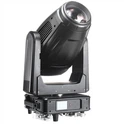
Hey there, fellow lighting enthusiasts! I'm a supplier of the awesome Beam 280w Moving Head, and I know firsthand how crucial it is to calibrate these babies for the best performance. In this blog, I'm gonna walk you through the ins and outs of calibrating your Beam 280w Moving Head like a pro.
First things first, why calibration? Well, proper calibration ensures that your moving head light functions smoothly and accurately. It helps in getting the right pan and tilt angles, color mixing, and gobos rotation. When everything's calibrated correctly, you get that perfect lighting setup for concerts, theaters, clubs, or any event where you want to make a big visual impact.
Getting Your Tools Ready
Before you start the calibration process, you'll need a few tools. A good-quality DMX controller is a must. It's the brain that sends signals to your Beam 280w Moving Head, telling it what to do. You'll also need a stable power source to keep the light running without any interruptions. And don't forget to have a pen and paper handy to jot down any important settings or values you come across during the calibration.
Initial Setup
First, mount your Beam 280w Moving Head securely in the desired location. Make sure it's fixed properly so that it doesn't move or shake during operation. Connect it to the DMX controller using a DMX cable. Double - check all the connections to avoid any loose ends. Power on the light and the controller.
Now, set the DMX address of your Beam 280w Moving Head. This is like giving your light a unique ID on the DMX network. Use the dip switches on the back of the light to set the address according to your DMX controller's requirements. You can find the detailed instructions for setting the DMX address in the user manual that comes with your light.
Pan and Tilt Calibration
The pan and tilt functions are what make the moving head light move horizontally (pan) and vertically (tilt). To calibrate these, put your DMX controller in the calibration mode. Usually, you can do this by accessing a specific menu on the controller.
Start with the pan calibration. Slowly move the pan control on the DMX controller from one end to the other. Watch the moving head light as it rotates. If it doesn't reach the full range of motion or if it stops abruptly, you'll need to adjust the pan limits. On the Beam 280w Moving Head, there are usually limit switches that you can adjust to set the correct pan range. Make small adjustments and repeat the pan movement test until you get the full and smooth rotation.
Next, do the same for the tilt function. Move the tilt control on the DMX controller up and down, observing the light's movement. Check if it reaches the proper tilt angles without any issues. Adjust the tilt limit switches if necessary. Once you're satisfied with the pan and tilt movements, save the calibration settings on your DMX controller.
Color and Gobo Calibration
Let's talk about color and gobos. The Beam 280w Moving Head has multiple color wheels and gobos for creating different lighting effects. To calibrate the color, select a known color on your DMX controller, like pure red. Then, check the light output. If the color looks off, you may need to adjust the color mixing settings. Some moving head lights have built - in color correction features that allow you to fine - tune the color output.
For gobos, make sure the rotation is smooth and synchronized with the DMX signals. If the gobo rotation is jerky or not in sync, you may need to adjust the motor settings of the gobo mechanism. This might involve checking the wiring connections and the motor's power supply.
Testing the Calibration
After you've completed all the calibration steps, it's time to test your work. Set up a simple lighting show on your DMX controller using different functions of the Beam 280w Moving Head. Watch the light as it moves, changes colors, and projects gobos. Look for any remaining issues, such as inconsistent movements or incorrect color mixing.
If you notice any problems, go back to the calibration steps and make further adjustments. Remember, calibration is often a process of trial and error, and it may take a few attempts to get everything just right.
Benefits of a Well - Calibrated Beam 280w Moving Head
A well - calibrated Beam 280w Moving Head offers numerous benefits. You get precise lighting control, which is essential for creating professional - looking lighting designs. Whether you're lighting up a small club or a large concert venue, accurate calibration ensures that your lighting effects are sharp and impactful.
It also extends the lifespan of your moving head light. When the components are calibrated correctly, they operate within their optimal range, reducing the risk of wear and tear. This means fewer maintenance issues and more reliability in the long run.


Where to Find Quality Moving Head Lights
If you're in the market for top - notch moving head lights like the Beam 280w, you can check out Professional Moving Head Lights and Professional Moving Head Lights. These links will take you to a wide selection of high - quality moving head lights that are perfect for various applications. And if you're interested in LED moving head spots, LED Moving Head Spot has some great options.
Time to Connect and Purchase
If you're interested in our Beam 280w Moving Head or have any questions about calibration or our other lighting products, don't hesitate to reach out. We're always here to help you make the best lighting choices for your project. Whether you're a lighting designer, an event organizer, or a venue owner, we've got the solutions you need. So, let's start a conversation and get you the perfect lighting setup!
References
- Manufacturer's user manual for the Beam 280w Moving Head
- DMX controller user guide
- Industry articles on moving head light calibration