


Hey there! As a supplier of the Beam 230 Moving Head, I've had my fair share of experiences when it comes to synchronizing these awesome lighting fixtures. In this blog, I'll share some tips and tricks on how to synchronize multiple Beam 230 Moving Heads like a pro.
Understanding the Beam 230 Moving Head
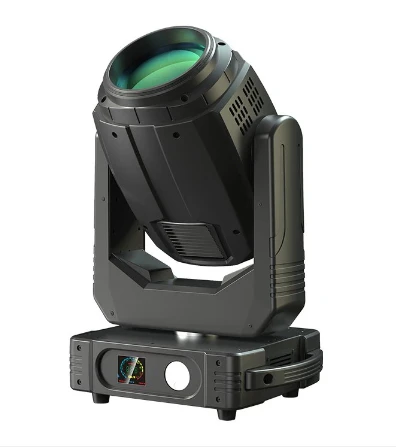
First off, let's talk a bit about the Beam 230 Moving Head. It's a powerful and versatile lighting fixture that can add a whole new dimension to any event or stage setup. With its bright beam and smooth movement, it's a favorite among lighting designers and event organizers.
The Beam 230 Moving Head offers a range of features, including pan and tilt movement, color mixing, gobo projection, and strobe effects. These features allow you to create dynamic and eye - catching lighting displays. But to really make the most of these features, you need to be able to synchronize multiple units.
Why Synchronize?
Synchronizing multiple Beam 230 Moving Heads is crucial for creating a cohesive and professional - looking lighting show. When the lights are in sync, they move and change colors at the same time, creating a unified and impactful visual experience. Whether you're lighting up a concert, a theater production, or a corporate event, synchronized lighting can take the atmosphere to the next level.
Methods of Synchronization
1. DMX Control
DMX (Digital Multiplex) is the most common method for controlling and synchronizing moving head lights, including the Beam 230 Moving Head. DMX is a protocol that allows you to send digital signals to lighting fixtures to control their functions.
To synchronize multiple Beam 230 Moving Heads using DMX, you'll need a DMX controller. There are many different types of DMX controllers available on the market, from simple handheld units to more advanced computer - based systems.
- Addressing the Lights: The first step is to set the DMX addresses of each Beam 230 Moving Head. Each fixture needs a unique DMX address so that the controller can send the correct signals to each unit. Most Beam 230 Moving Heads have a built - in DMX address setting function. You can usually access this function using a small dip switch or a menu on the fixture.
- Programming the Controller: Once the addresses are set, you can start programming the DMX controller. You can create different lighting scenes, effects, and sequences and then assign them to specific DMX channels. When you run the program on the controller, all the synchronized Beam 230 Moving Heads will perform the same actions at the same time.
2. Master - Slave Mode
Some Beam 230 Moving Heads support a master - slave mode. In this mode, one light is set as the master, and the other lights are set as slaves. The master light controls the movement, color changes, and other functions, and the slave lights follow its lead.
- Setting up Master - Slave: To set up master - slave mode, you first need to configure one of the Beam 230 Moving Heads as the master. This is usually done through a menu or a switch on the fixture. Then, set the remaining lights as slaves. The slaves will receive signals from the master and mimic its actions.
- Benefits of Master - Slave: The advantage of master - slave mode is that it's relatively easy to set up, especially for smaller setups. You don't need a complex DMX controller, and it can be a cost - effective solution.
3. Wireless Synchronization
Wireless synchronization is becoming more popular, especially for installations where running DMX cables is difficult or not practical. There are wireless DMX systems available that allow you to control and synchronize multiple Beam 230 Moving Heads without the need for physical cables.
- How it Works: Wireless DMX systems use radio frequencies to transmit DMX signals. You'll need a wireless DMX transmitter connected to your DMX controller and a wireless DMX receiver for each Beam 230 Moving Head. The transmitter sends the DMX signals wirelessly, and the receivers pick up the signals and control the lights accordingly.
- Considerations: When using wireless synchronization, you need to be aware of potential interference from other wireless devices in the area. Make sure to choose a wireless DMX system with good signal strength and reliability.
Troubleshooting Synchronization Issues
Even when you follow all the steps correctly, you may still encounter some synchronization issues. Here are some common problems and how to fix them:
1. Lights Not Moving in Sync
- DMX Signal Interference: Check the DMX cables for any damage or loose connections. If you're using a wireless system, make sure there's no interference from other wireless devices. You may need to change the frequency of your wireless DMX system.
- Incorrect DMX Addresses: Double - check the DMX addresses of each Beam 230 Moving Head. If the addresses are incorrect, the lights may not receive the correct signals from the controller.
2. Color or Effect Differences
- Calibration: Sometimes, the color or effect settings on the lights may be slightly different. You may need to calibrate each Beam 230 Moving Head to ensure that they produce the same colors and effects. Refer to the user manual for instructions on how to calibrate the lights.
Other Moving Head Options
If you're looking for other moving head options in addition to the Beam 230 Moving Head, you might want to check out the Moving Head Light Beam and the 17r Beam Moving Head. These fixtures also offer great features and can be synchronized using similar methods.
Conclusion
Synchronizing multiple Beam 230 Moving Heads is not as complicated as it may seem. Whether you choose DMX control, master - slave mode, or wireless synchronization, with a bit of practice and patience, you can create amazing lighting shows.
If you're interested in purchasing Beam 230 Moving Heads or have any questions about synchronization or other lighting solutions, feel free to reach out. We're here to help you create the perfect lighting setup for your next event.

References
- Beam 230 Moving Head User Manual
- DMX Control System Guides
- Industry Articles on Moving Head Lighting Synchronization


