


Adjusting the speed of the moving head of an LED Moving Head Spot is a crucial aspect for achieving the desired lighting effects in various settings, such as concerts, theaters, clubs, and events. As a leading supplier of LED Moving Head Spotlights, I understand the importance of providing comprehensive guidance on this topic. In this blog post, I will share some practical tips and techniques on how to adjust the speed of the moving head to meet your specific lighting needs.
Understanding the Basics of LED Moving Head Spot
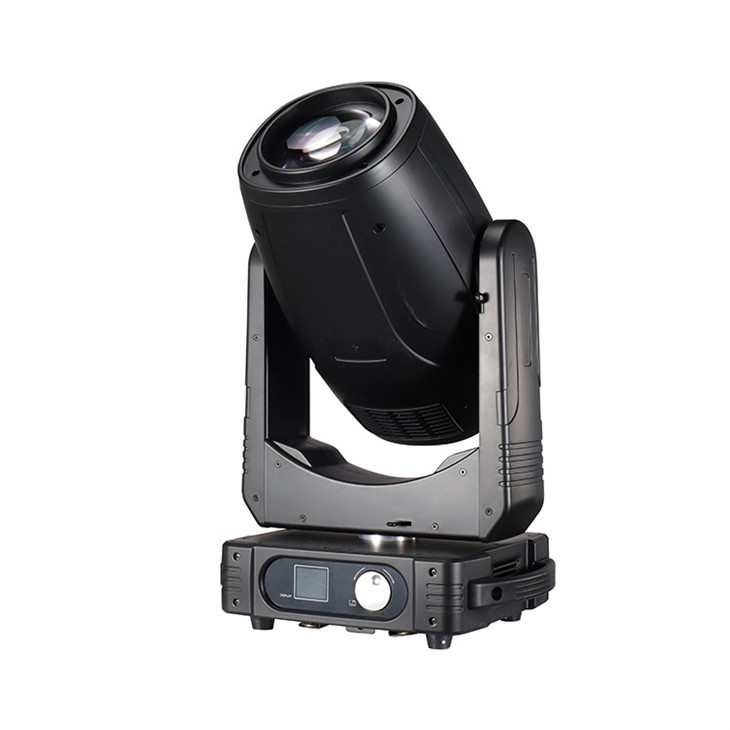
Before diving into the speed adjustment process, it's essential to have a basic understanding of how an LED Moving Head Spot works. These lighting fixtures are equipped with motors that control the movement of the head, allowing it to pan (move horizontally) and tilt (move vertically). The speed at which these movements occur can significantly impact the overall lighting effect.
Most LED Moving Head Spots come with a control system that allows you to adjust various parameters, including the speed of the moving head. This control system can be a dedicated lighting console, a DMX controller, or a built-in control panel on the fixture itself.
Methods of Adjusting the Speed
Using a Lighting Console
A lighting console is a powerful tool that provides precise control over multiple lighting fixtures, including LED Moving Head Spots. To adjust the speed of the moving head using a lighting console, follow these steps:
- Connect the Fixture: Ensure that the LED Moving Head Spot is properly connected to the lighting console using a DMX cable. Make sure the DMX address of the fixture is correctly set on the console.
- Select the Fixture: Use the fixture selection function on the console to choose the LED Moving Head Spot you want to control.
- Access the Movement Parameters: Navigate to the movement parameters section of the console's menu. This section typically includes options for pan, tilt, and speed.
- Adjust the Speed: Locate the speed parameter for the pan and tilt movements. You can usually adjust the speed by using a slider, a numerical input field, or a dedicated speed control knob. Increase or decrease the speed value to achieve the desired effect.
Using a DMX Controller
If you don't have a lighting console, you can use a DMX controller to adjust the speed of the moving head. A DMX controller is a more compact and affordable option that allows you to control individual lighting fixtures. Here's how to use a DMX controller to adjust the speed:
- Connect the Fixture: Connect the LED Moving Head Spot to the DMX controller using a DMX cable. Set the DMX address of the fixture on the controller.
- Select the Channel: Identify the DMX channels that control the pan, tilt, and speed of the moving head. Refer to the fixture's user manual for the specific channel assignments.
- Adjust the Speed: Use the channel sliders or knobs on the DMX controller to adjust the speed values for the pan and tilt movements. Move the sliders up or down to increase or decrease the speed.
Using the Built-in Control Panel
Some LED Moving Head Spots come with a built-in control panel that allows you to adjust the speed directly on the fixture. Here's how to use the built-in control panel:
- Power On the Fixture: Turn on the LED Moving Head Spot and allow it to initialize.
- Access the Menu: Press the menu button on the control panel to access the fixture's settings menu.
- Navigate to the Movement Settings: Use the arrow keys on the control panel to navigate to the movement settings section of the menu.
- Adjust the Speed: Select the speed parameter for the pan and tilt movements and use the arrow keys to increase or decrease the speed value.
Factors to Consider When Adjusting the Speed
Lighting Effect
The speed of the moving head should be adjusted based on the desired lighting effect. For example, if you want to create a dynamic and energetic effect, you can increase the speed of the movements. On the other hand, if you want to create a more subtle and elegant effect, you can decrease the speed.
Venue Size
The size of the venue also plays a role in determining the appropriate speed of the moving head. In a large venue, you may need to increase the speed to ensure that the lighting effects are visible from a distance. In a small venue, a slower speed may be more appropriate to avoid creating a disorienting effect.
Music or Performance
If the lighting is synchronized with music or a performance, the speed of the moving head should be adjusted to match the tempo and rhythm of the music or performance. For example, during a fast-paced song, you can increase the speed of the movements to create a more exciting atmosphere.
Recommended Products
As an LED Moving Head Spot supplier, I offer a wide range of high-quality products that are suitable for various applications. Here are some of our recommended products:
- LED Mini Moving Head Lights: These compact and lightweight fixtures are perfect for small venues and mobile applications. They offer a high level of flexibility and can be easily adjusted to create a variety of lighting effects.
- Moving Head Follow Spot: This powerful fixture is designed for tracking performers on stage. It features a high-intensity beam and precise movement control, making it ideal for professional performances.
- 350w LED Moving Head Light 3 In1 With Cmy Function: This versatile fixture combines three functions in one unit, including a moving head, a color mixing system, and a gobo projection system. It offers a wide range of lighting effects and is suitable for large venues and events.
Conclusion
Adjusting the speed of the moving head of an LED Moving Head Spot is a straightforward process that can significantly enhance the lighting effects in your venue. By understanding the basics of the fixture, using the appropriate control methods, and considering the factors mentioned above, you can achieve the desired lighting effects and create a memorable experience for your audience.
If you have any questions or need further assistance with adjusting the speed of your LED Moving Head Spot, or if you are interested in purchasing our products, please feel free to contact us. We are committed to providing our customers with the best quality products and services.

References
- Manufacturer's user manuals for LED Moving Head Spotlights
- Lighting industry publications and resources on lighting control and effects


