


Hey there, lighting enthusiasts! As a supplier of Moving Head Light Beams, I often get asked about how to set the fade time of these amazing lights. It's a crucial aspect that can really make or break the lighting effect you're going for, whether you're lighting up a concert, a club, or a corporate event. So, let's dive right in and explore how you can master the art of setting the fade time for your moving head light beams.
First off, let's talk about what fade time actually is. In simple terms, fade time refers to the duration it takes for a moving head light beam to transition from one state to another. This could be changing the color, intensity, or position of the beam. A short fade time will result in a quick, abrupt change, while a longer fade time will create a smooth, gradual transition. The right fade time can add a sense of drama, elegance, or energy to your lighting design, depending on the mood you're trying to create.
Now, how do you set the fade time? Well, it all starts with understanding the control system of your moving head light beam. Most modern moving head lights come with a DMX (Digital Multiplex) control system, which allows you to program and control various aspects of the light, including the fade time. If you're new to DMX, don't worry – it's not as complicated as it sounds.
To set the fade time using a DMX control system, you'll need a DMX controller. There are many different types of DMX controllers available on the market, from basic handheld units to more advanced computer-based systems. Once you have your DMX controller, you'll need to connect it to your moving head light beam using a DMX cable.
Once everything is connected, you can start programming the fade time. The exact steps will vary depending on the make and model of your DMX controller and moving head light beam, but here's a general overview of the process:
- Access the DMX channel settings: Use the controls on your DMX controller to access the channel settings for your moving head light beam. Each moving head light beam has a specific set of DMX channels that control different functions, such as pan, tilt, color, and intensity.
- Locate the fade time channel: Look for the channel that controls the fade time. This is usually labeled something like "Fade Time" or "Transition Time."
- Set the fade time value: Use the controls on your DMX controller to set the fade time value. This is typically measured in milliseconds or seconds, depending on the controller. For example, if you want a quick, abrupt change, you might set the fade time to 100 milliseconds. If you want a smooth, gradual transition, you might set the fade time to 5 seconds.
- Test the fade time: Once you've set the fade time value, test it by changing the state of the moving head light beam. For example, you might change the color or intensity of the beam and see how long it takes for the transition to occur. If the fade time isn't what you want, you can adjust the value and test it again until you get the desired effect.
It's important to note that the fade time can also be affected by other factors, such as the speed of the moving head light beam's motors and the type of lighting effect you're using. For example, if you're using a fast-paced lighting effect, you might need to set a shorter fade time to keep up with the action. On the other hand, if you're using a more subtle lighting effect, you might want to set a longer fade time to create a more relaxed atmosphere.
Another thing to keep in mind is that different moving head light beams may have different maximum and minimum fade time values. Make sure to check the specifications of your moving head light beam to ensure that you're setting the fade time within the recommended range.
In addition to using a DMX control system, some moving head light beams also come with built-in presets that allow you to quickly set the fade time and other lighting parameters. These presets can be a great option if you're new to lighting design or if you're looking for a quick and easy way to create a professional-looking lighting effect.
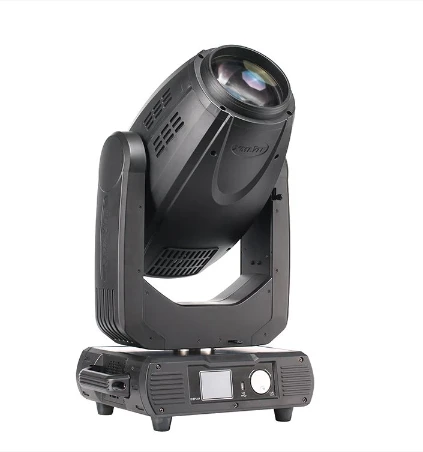
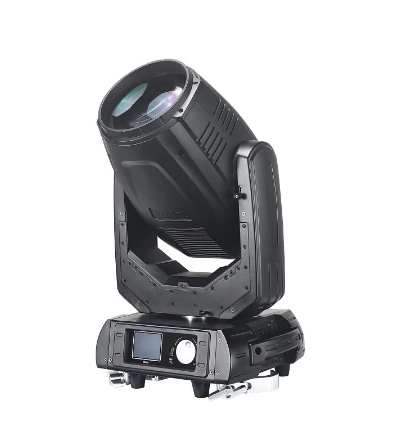
To find the right moving head light beam for your needs, check out our Moving Head Beam Light and Moving Head Beam Light options. We also offer a powerful 380w Beam Moving Head Light that's perfect for large venues and high-energy events.
So, there you have it – a basic guide to setting the fade time of a moving head light beam. Remember, the key is to experiment and have fun with it. Don't be afraid to try different fade times and lighting effects to see what works best for your event. And if you have any questions or need further assistance, don't hesitate to reach out to us. We're here to help you create the perfect lighting design for your next event.
If you're interested in purchasing any of our moving head light beams or have any questions about our products, feel free to contact us. We'd love to have a chat with you about your lighting needs and see how we can help you take your events to the next level.
References
- Lighting Industry Magazines
- Manufacturer's User Manuals for Moving Head Lights


